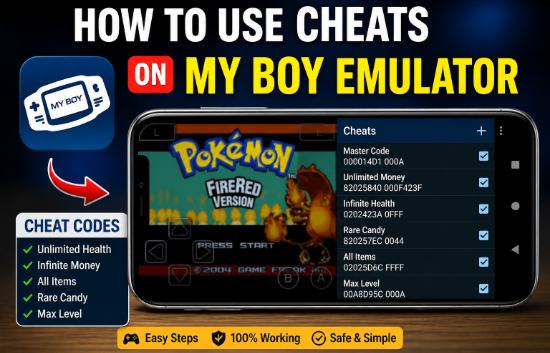
If you wish to use cheat codes in the My Emulator app but aren’t sure how, you’ve come to the right place. By utilizing cheat codes within the game, you can make your gaming experience both a little easier and more robust. Occasionally, issues arise during gameplay—such as the game simply refusing to progress any further; in such instances, cheats can be incredibly helpful.
This has happened to me on several occasions—particularly when I was playing GBA titles like Pokémon. There was a time when my game got stuck on a specific level, and cheat codes proved instrumental in helping me progress. However, it is worth noting that if cheats are not used correctly, they will not work and could even potentially corrupt your ongoing game save. So, let’s learn how to use cheats properly to enhance your overall gaming experience.
What is the My Boy Emulator?
My Boy Emulator is a popular Android app that allows you to play Game Boy Advance (GBA) games on your mobile device easily and securely. The standout feature of this app is that the emulator runs exceptionally fast and smoothly; furthermore, it offers users a wide array of advanced features, making it a truly exceptional application.
Things to Keep in Mind Before Using Cheats
Before entering any cheat code, it is advisable to keep a few important points in mind, such as:
- Not every cheat code works in every version.
- Most cheat codes are typically in CodeBreaker or GameShark format.
- Sometimes, it is also necessary to enter a master code.
- Many cheats take a short while to activate.
And paying attention to these small details can save you from significant trouble down the road.
How to Use Cheat Codes in the My Boy Emulator
Below, we have explained in simple terms how you can easily use cheat codes within your My Boy emulator. Please follow the steps outlined below:
- Start the Game: First, open your emulator, and then launch the specific game in which you wish to use cheats.
- Go to the Menu: Once your game has started, click on the three dots located on the screen.
- Open the Cheats Option: Within the menu, you will see an option labeled “Cheats”; click on it.
- Add a New Cheat: Now, click on “New Cheat” or the “+” icon. Here, you will need to fill in a few fields, such as the Cheat Name, Cheat Type, and Cheat Code.
- Enter the Cheat Code: Now, paste the code you have obtained into this field, for example,
82025840 0001You can assign any name you like to the “Cheat Name” field; once you have entered the code, click the “Save” button. - Activate the Cheat: Check the box located next to the cheat entry to enable it and make the cheat active.
- Check the result: Now, return to your game to verify whether the cheat is working. If you do not see an immediate effect in your game, try restarting the game or changing your in-game location; your cheat should then begin to work.
How to Make a Cheat Work Properly
If, like me, you want your cheats to work every single time, follow the advanced tips provided below.
- Always copy and paste the provided codes, as typing them manually can lead to errors.
- Start by enabling just one cheat at a time, and then gradually enable more.
- If you have multiple codes, ensure you enter them in the correct sequence.
- Use the codes that are specifically compatible with the version of the game you are playing.
By keeping these small details in mind, you can become an expert in your gaming.
Is it right to use cheats?
Absolutely, using cheats is perfectly fine; however, it depends entirely on your personal preference. If you are playing the game simply for fun, then using cheats is not wrong. However, if you enjoy a challenge, playing without cheats can be more satisfying. Therefore, while using cheats is not wrong, ensure that you use them responsibly.
Conclusion
In my personal opinion, using cheats in My Boy Emulator is a fantastic experience; however, you should exercise discretion when doing so. It might feel a bit confusing the very first time you try it, but once you get the hang of it, everything becomes incredibly simple.
While using cheat codes does empower you, the real enjoyment comes from playing the game with a proper sense of balance. My advice is to use cheats, but only to the extent that it enhances your enjoyment of the game.